

What is a plate reader?
A plate reader is an instrument used to quickly analyze samples in a microplate by measuring the fluorescence, luminescence, or absorbance of each well using a light source and filters. This is useful when running certain cell assays, such as for protein quantification, cell viability, and nucleic acid quantification. Certain models are also capable of fluorescence imaging for better sample visualization.
What plate reader is available in the Wet Lab Makerspace?
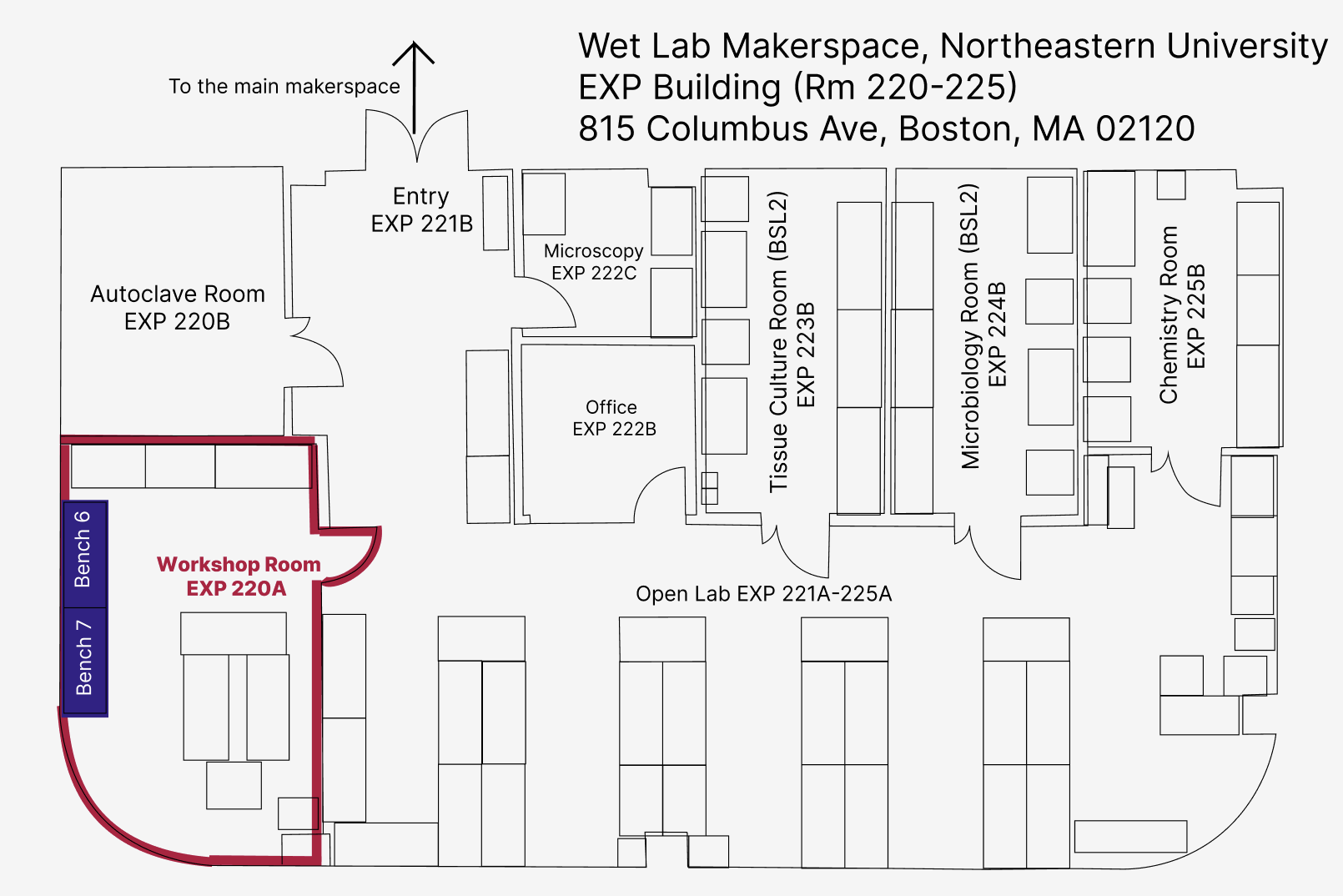
In the Wet Lab Makerspace, we have an Agilent BioTek Cytation 5 Plate Reader. It is located in the Workshop Room EXP 220A. Most associated consumables (e.g. microplates and pipet basins) are stored in Bench 6, Shelves E and F, and Bench 7, Shelves A-D.
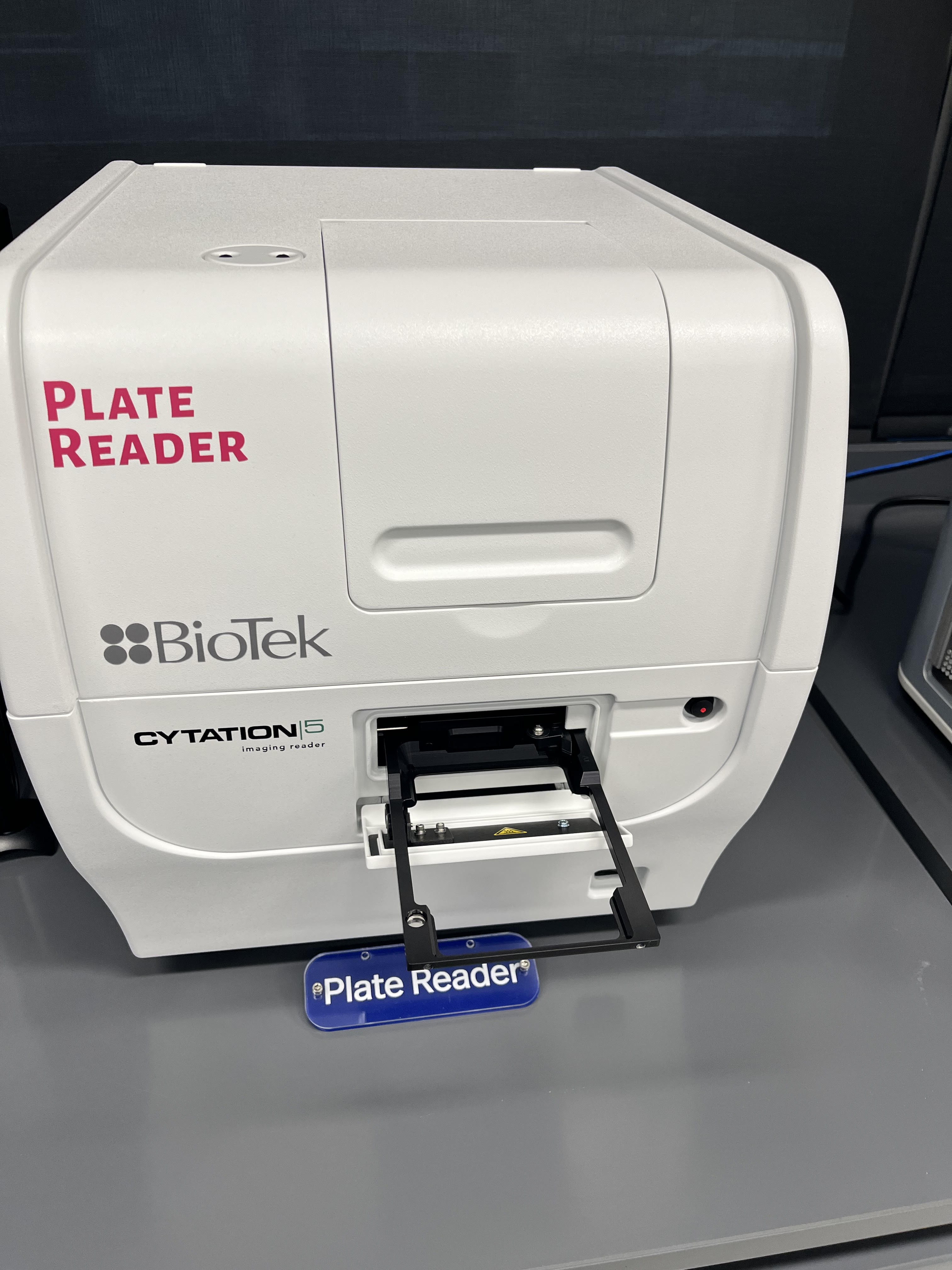
Parts of the Plate Reader
[image of plate reader with power switch, open/close button labelled]
Safety Considerations
Tips for Success
- Run calibration checks with standard reference materials to verify accuracy and precision.
- Regularly run control samples to assess instrument stability and detect any drift or deviations.
- Choose a microplate reader based on your application requirements
- Always do a quick check of the base of the plate to see if it has any scratches.
Operating Instructions
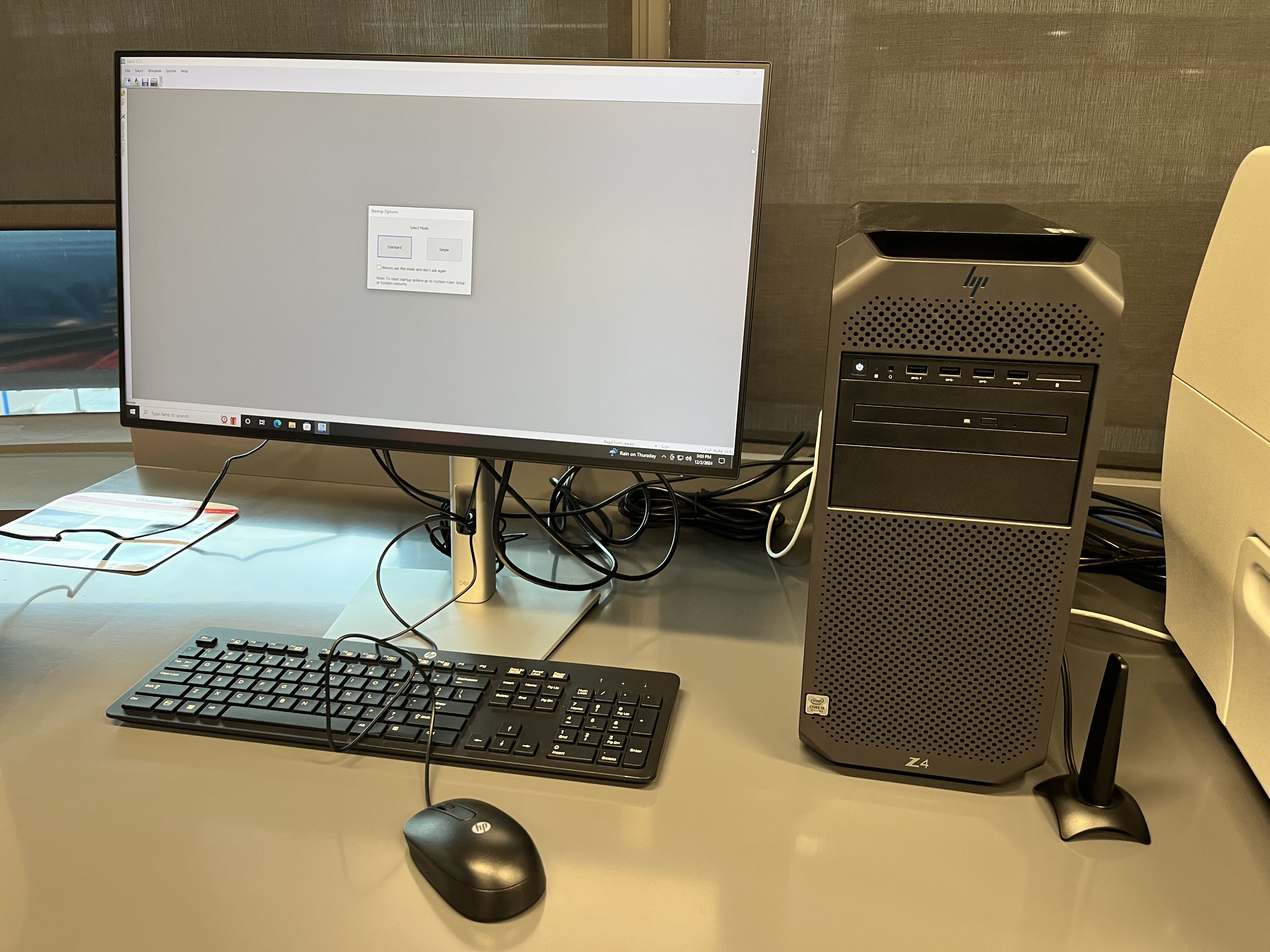
1. Turn on the computer located next to the Plate reader
The computer should be turned on before the instrument.
2. Turn on the instrument
Turn on the device with the black bottom located in the lower part of it.
3. Open the software
Click on the software icon named “Cyta5” on the desktop of the computer.
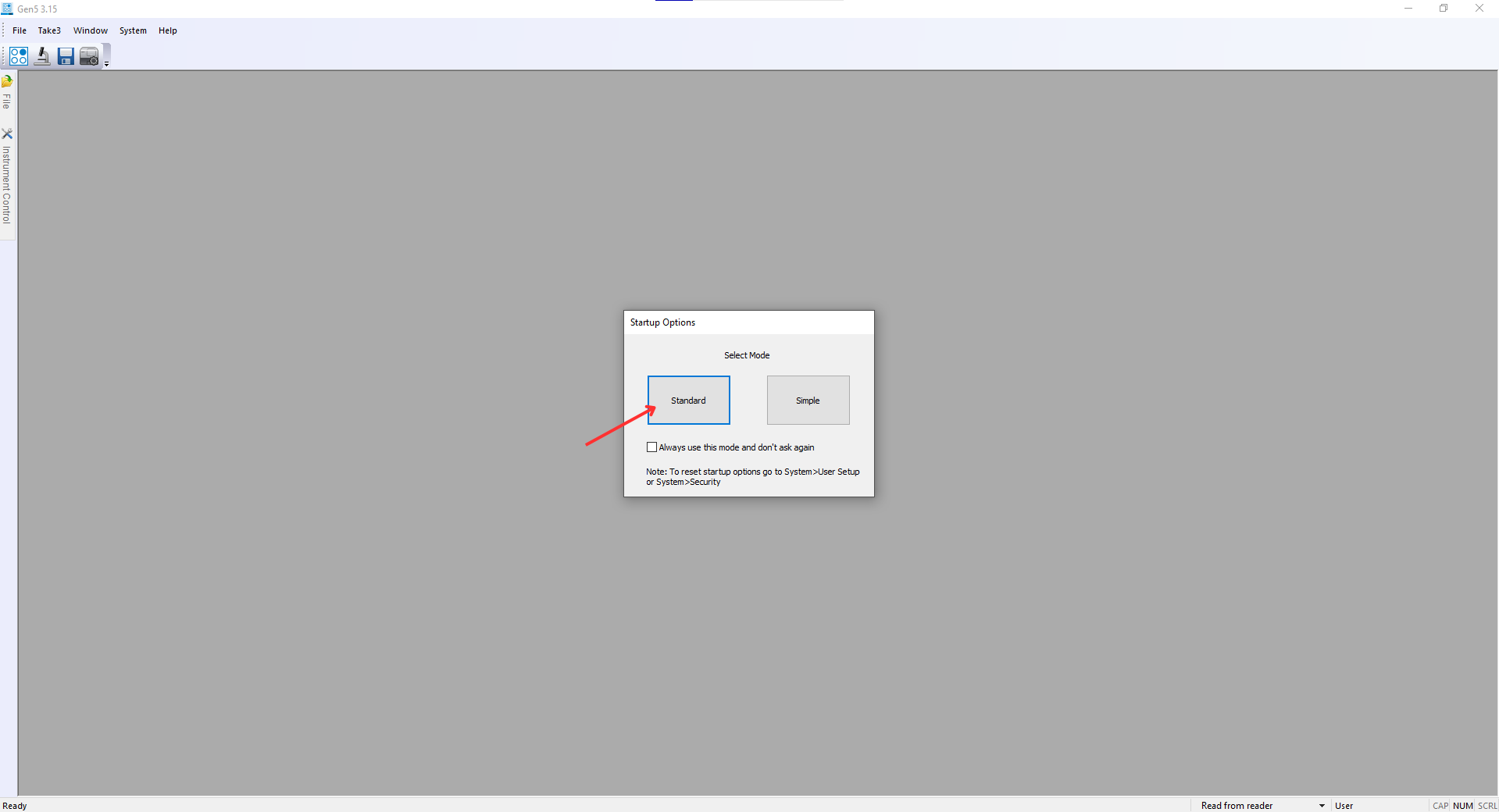
4. Select ‘Standard’ Mode
On the startup screen, select the Standard mode
5. Create a new protocol
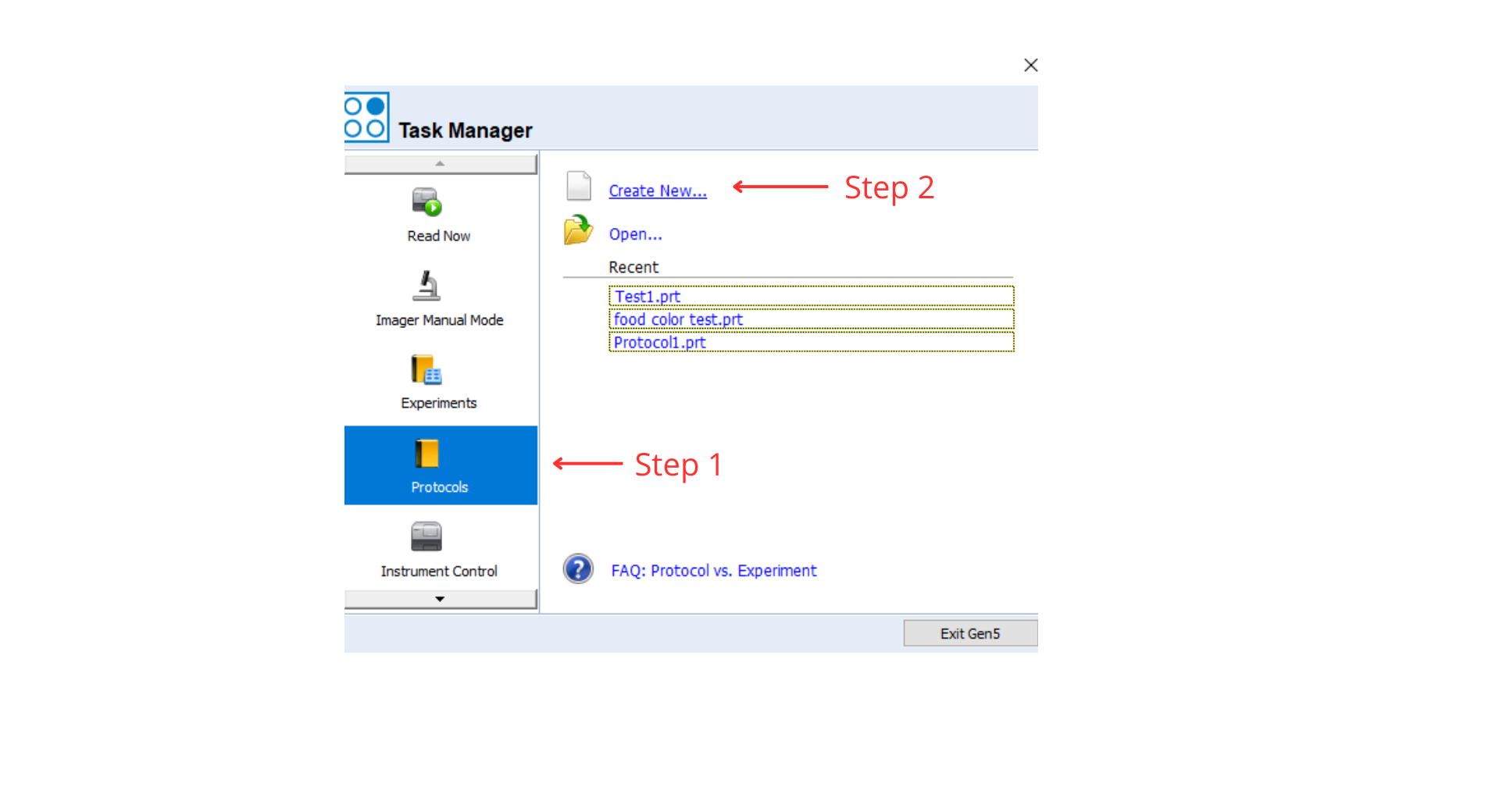
- In the Task Manager screen, choose ‘Protocols’ from the left-hand menu and select ‘Create New’
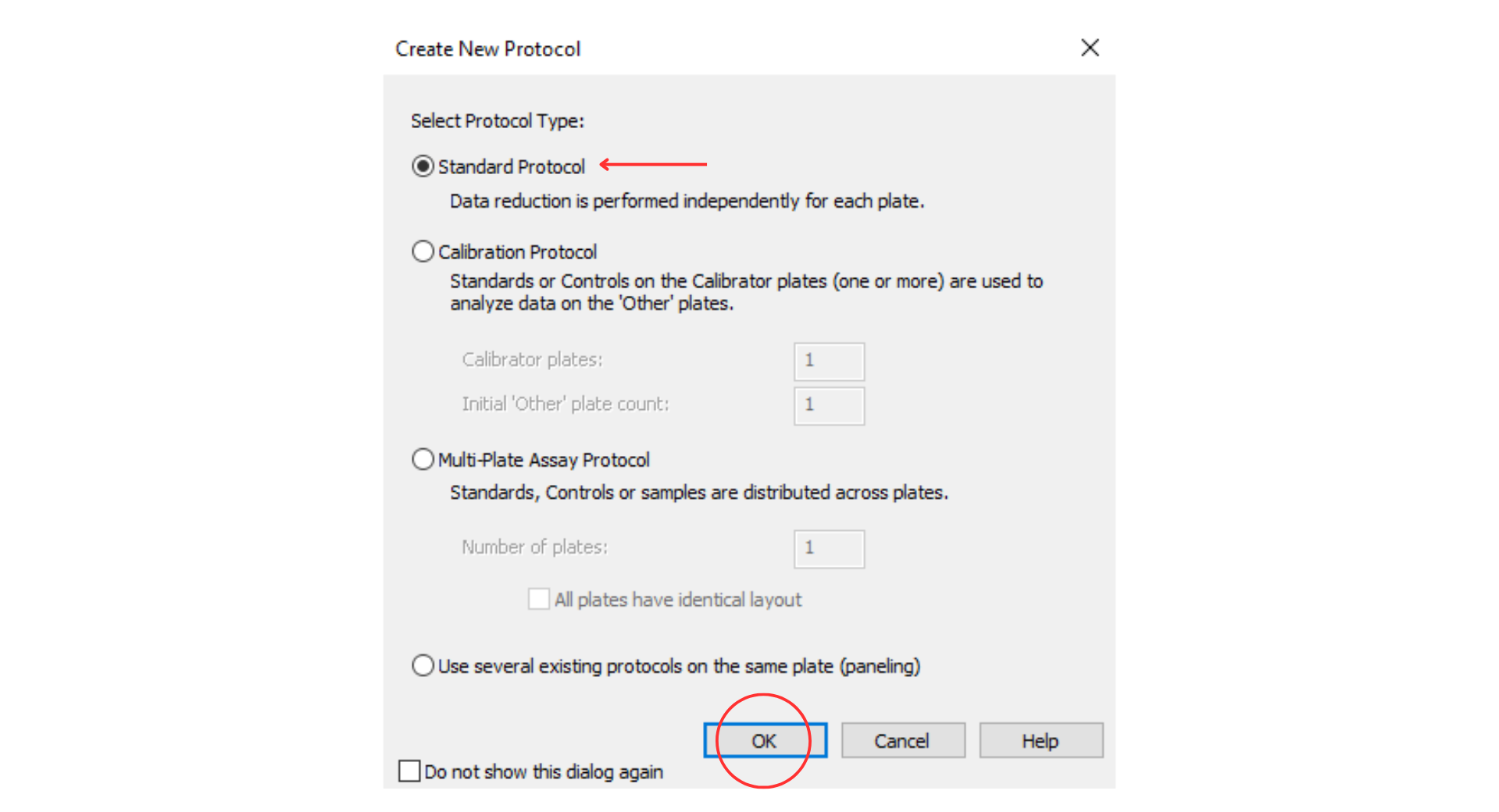
- Select ‘Standard Protocol’ and click ‘OK’
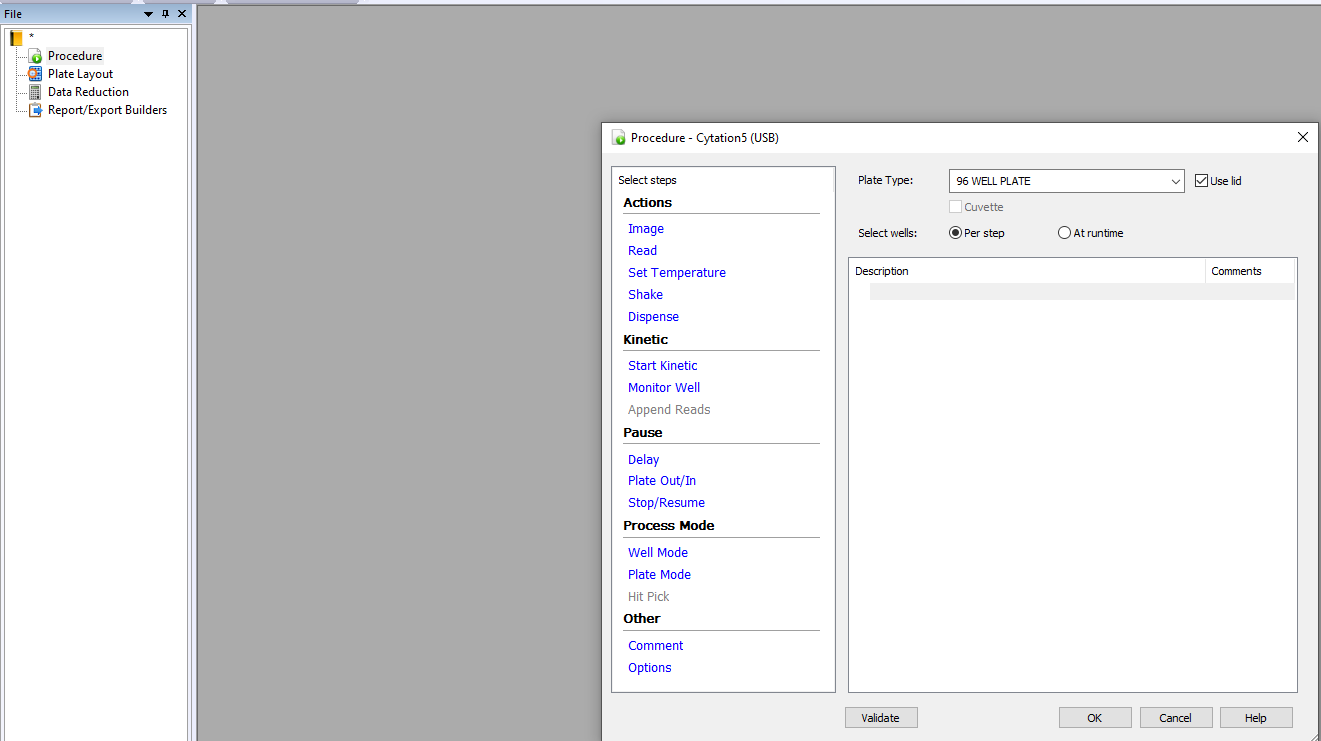
- Open the Procedure menu
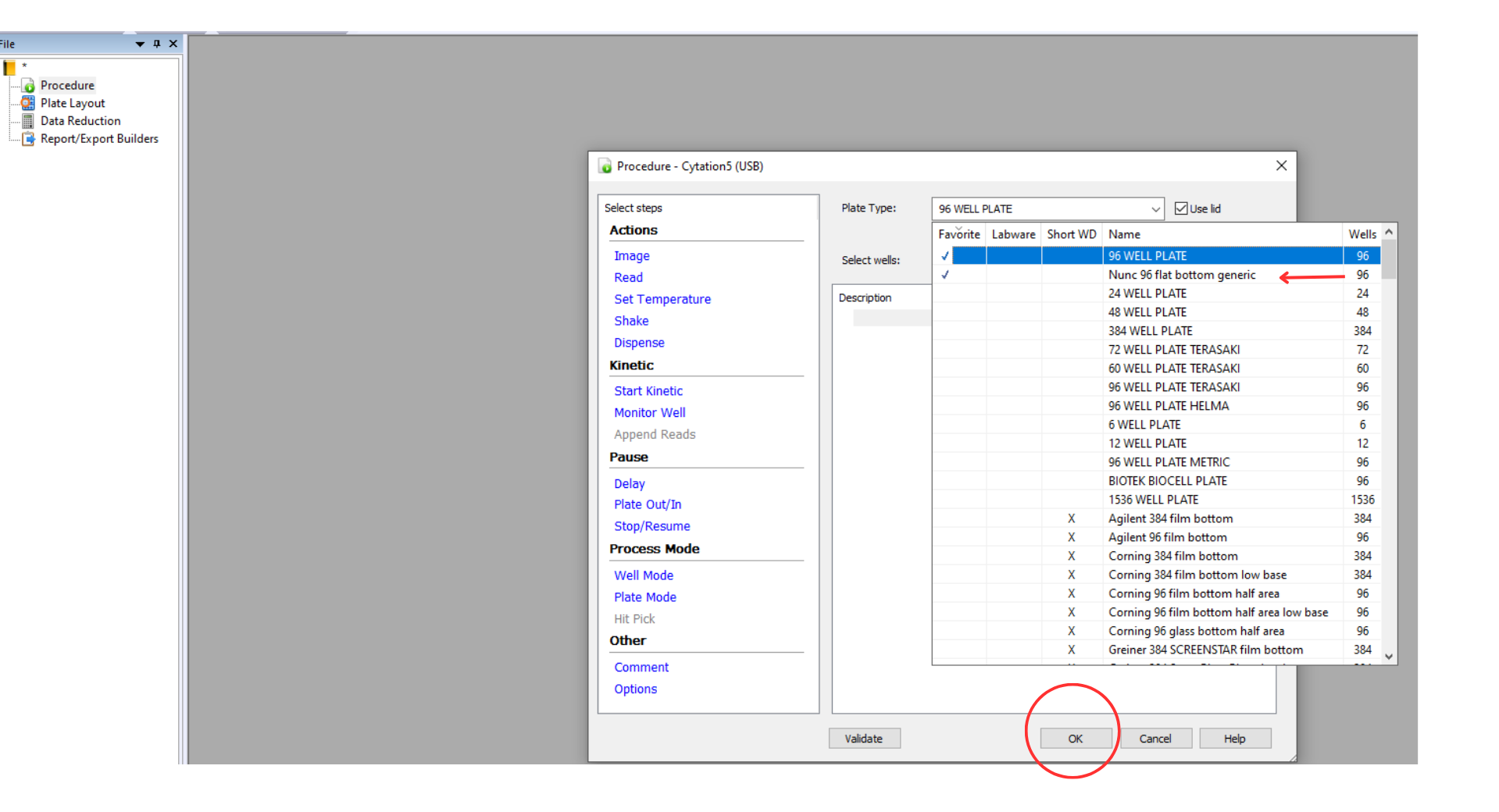
Choose your plate type from the dropdown. Most plates in the Wet Lab Makerspace are ‘Nunc 96 flat bottom generic’
- Set the appropriate parameters. The most commonly needed parameters are:
- Read
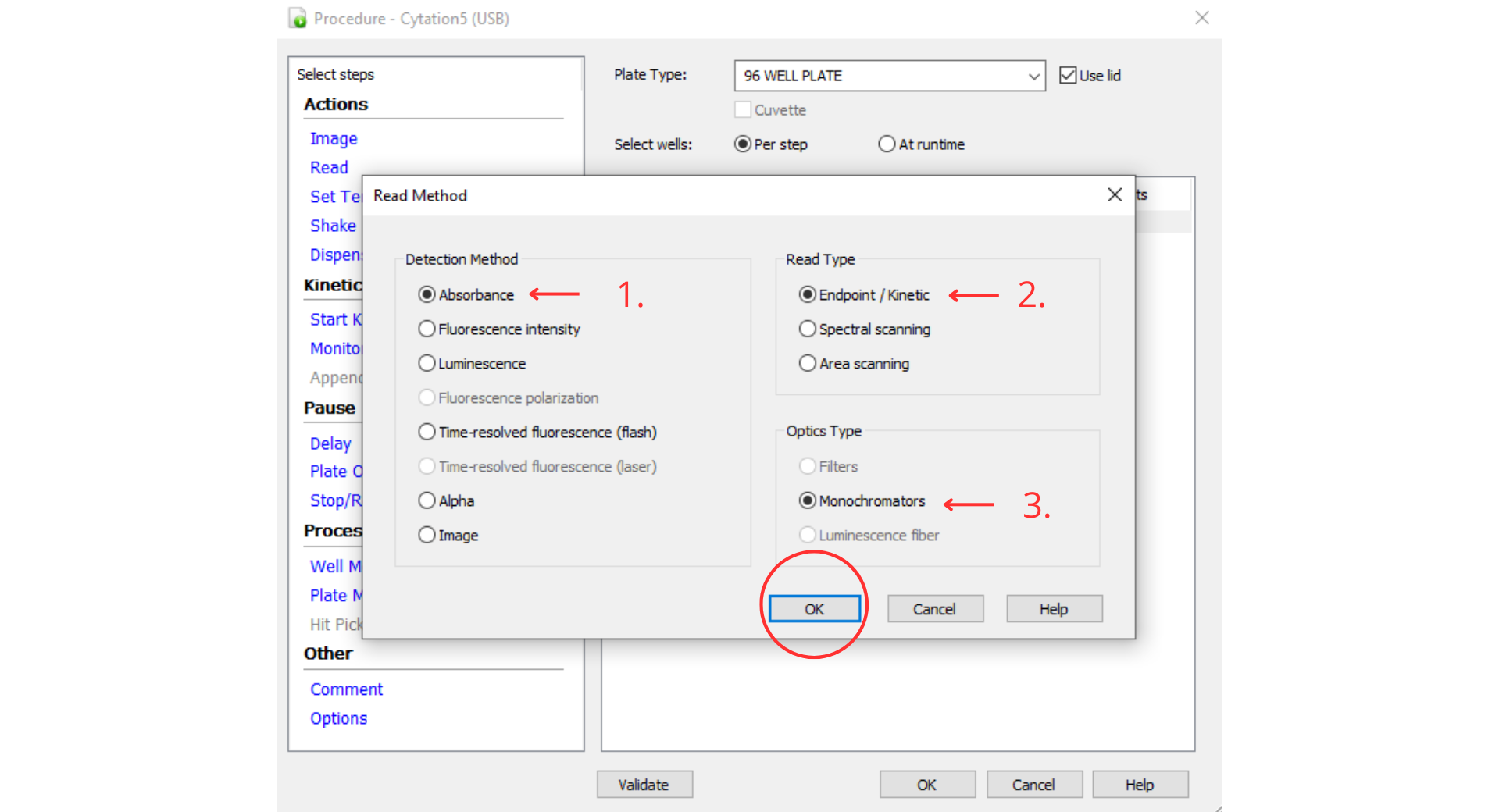
- Choose your Detection Method. Our plate reader can measure absorbance, fluorescence, luminescence, and time-resolved fluorescence. Detection methods that are not available are grayed-out. The most commonly used detection method is Absorbance.
- Choose your Read Type. Our plate reader can read Endpoint, Spectral Scanning, and Area scanning. The most commonly used Read Type is Endpoint.
- Optics Type should be set to Monochromators.
- Click Ok.
- Set your wavelengths. The most common Absorbance to measure is 600 nm. Click Ok.
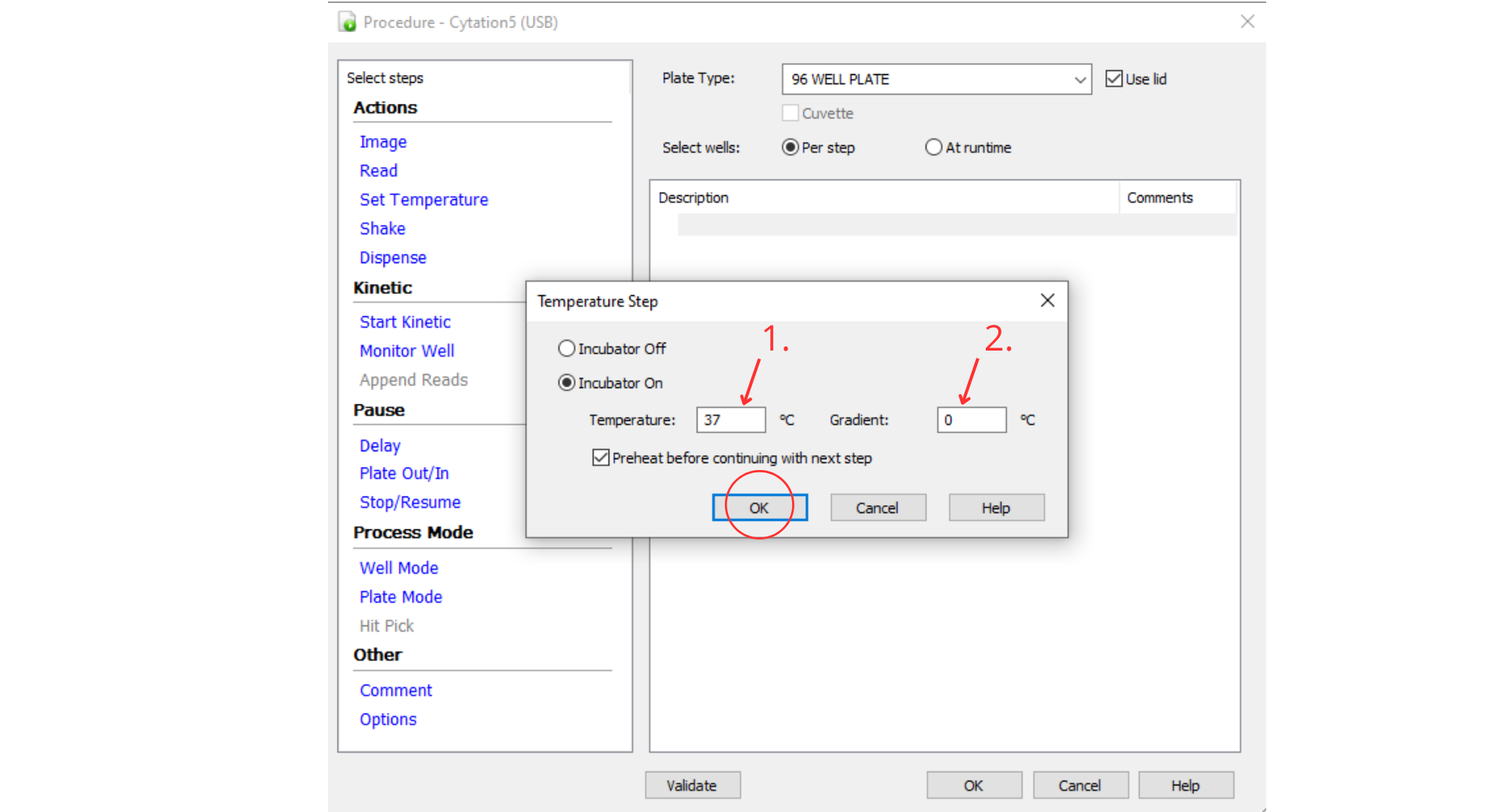
- Set Temperature . If incubation is required, set your temperature with this parameter. Our plate reader can heat but cannot refrigerate, so you the temperature to room temperature or above. If you are reading with the plate lid on (please do). Set the gradient to 1-2C to avoid condensation. Click OK.
- Shake
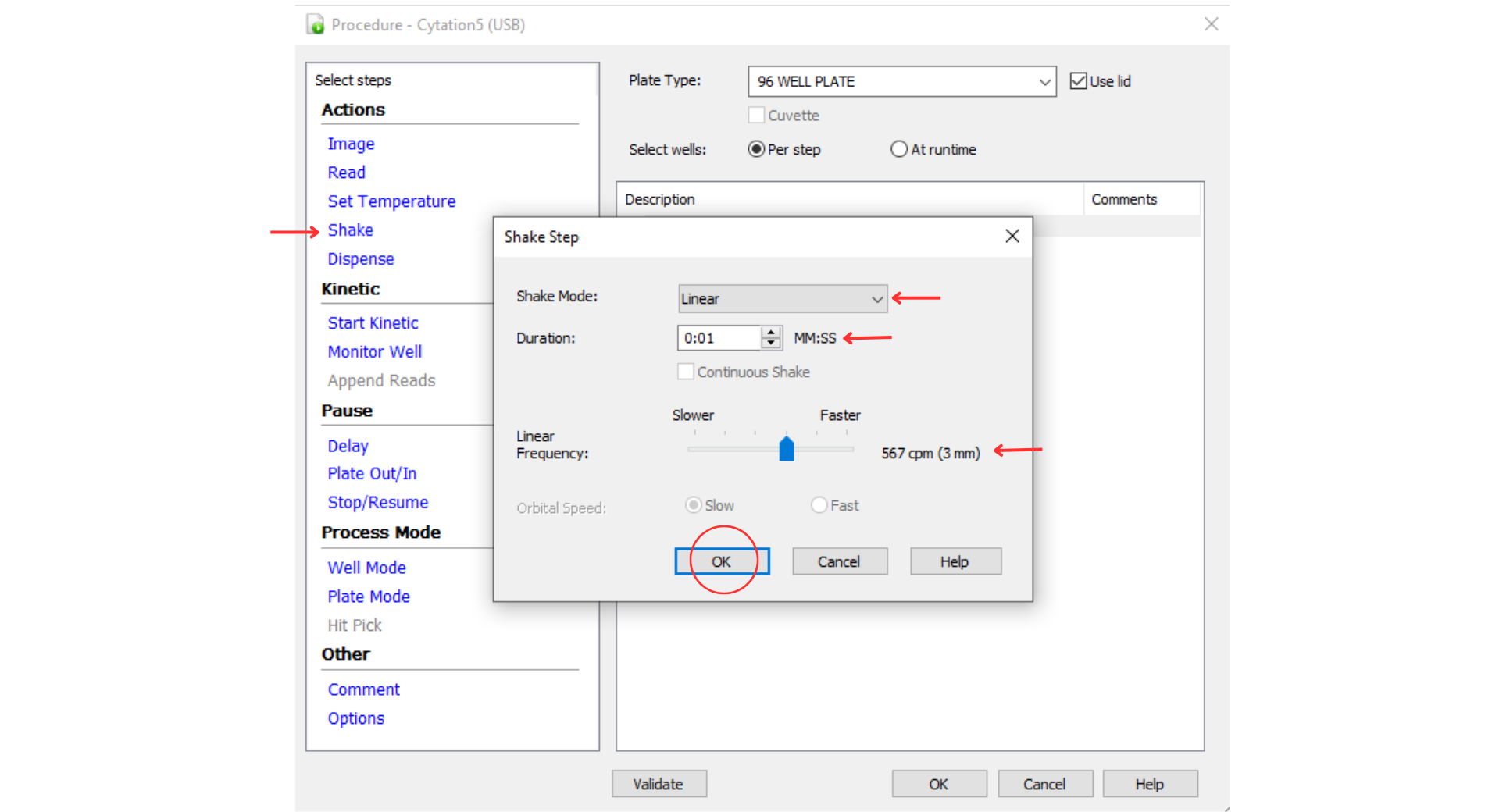
If shaking is required, open the Shake menu. Choose your shake mode: Linear, Orbital, or Double Orbital. Set the Duration, Frequency, and Speed.
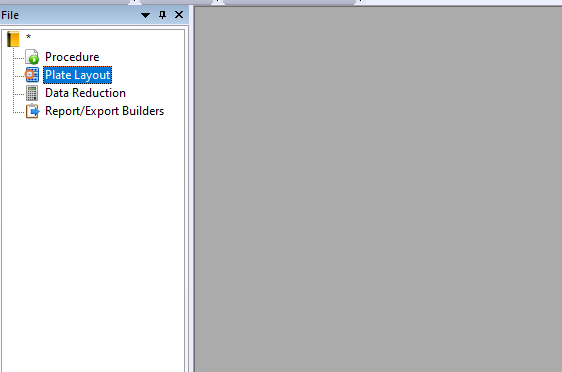
- Open the Plate Layout menu
- Select your Well Types based on your application and well plate contents.
Blanks: typically the media or other liquid without your cells or sample
Assay Controls: assay dependent, could be positive, negative, or dilution controls
Standard Curves: check this box if you wish to produce a standard curve
Samples: your samples
Sample Controls: any controls that are associated with particular samples or sample groups
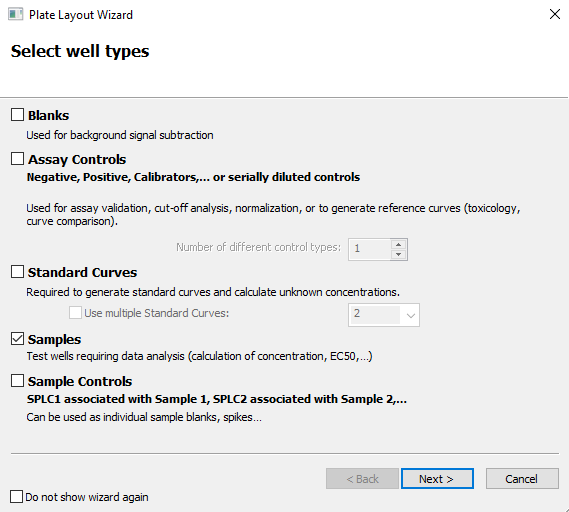
- Define your wells
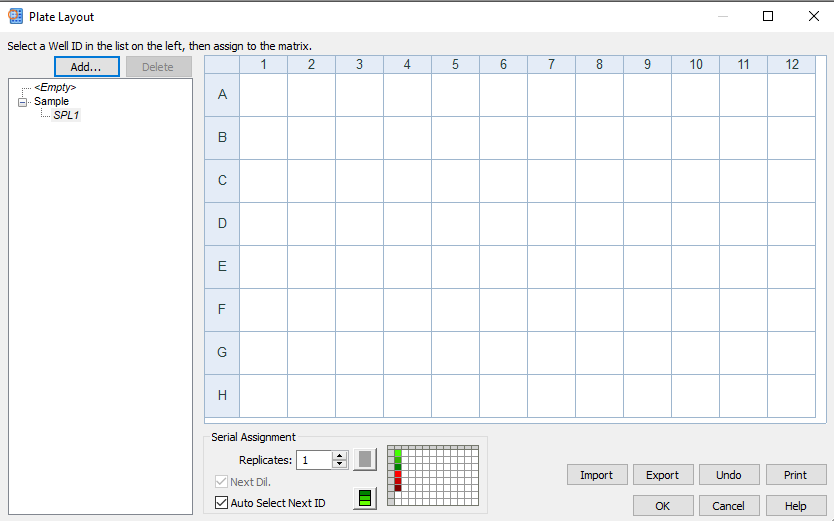
You will next see a screen for each Well Type you selected
These screens define how you will see your wells in your data output. Choose an ID name, the number of replicates, and colors.
This opens the Plate Layout image screen.
Select each Well Type in the left-hand menu and use the pipette cursor to complete your layout. Rename your samples as appropriate.
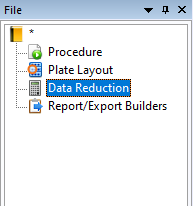
- Open the Data Reduction Menu. If you have entered both Blanks and Samples in your Plate Layout, you will automatically have a Blank Reduction included in this menu. Choose other Reduction or Transformation as needed.
- Open the Report/Export Builder. Gen5 can produce many types of reports. Choose the appropriate parameters for your needs.
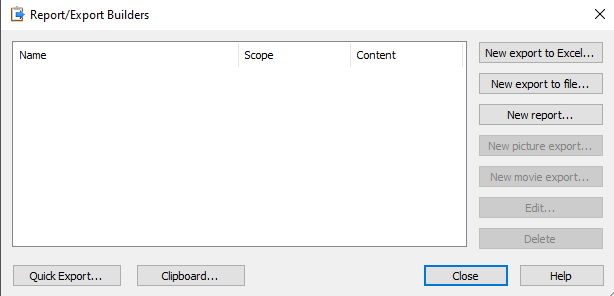
6. Create a new experiment
7. Clean up
Remove the sample and weigh boat from the balance pan. Clean the balance pan and surrounding area. If the interior of the balance can be cleaned with a dry brush, that is best. If liquid is necessary, begin with DI water and a kimwipe, and then dry thoroughly to prevent contamination and corrosion. Clean with 70% ethanol or 10% bleach (followed by DI water) only when necessary. Power off the balance when not in use.
8. Power Off
Additional Information
User Manuals: